GenAI for Instructional Designers: “It should be the sidekick” – An Interview with Luke Hobson
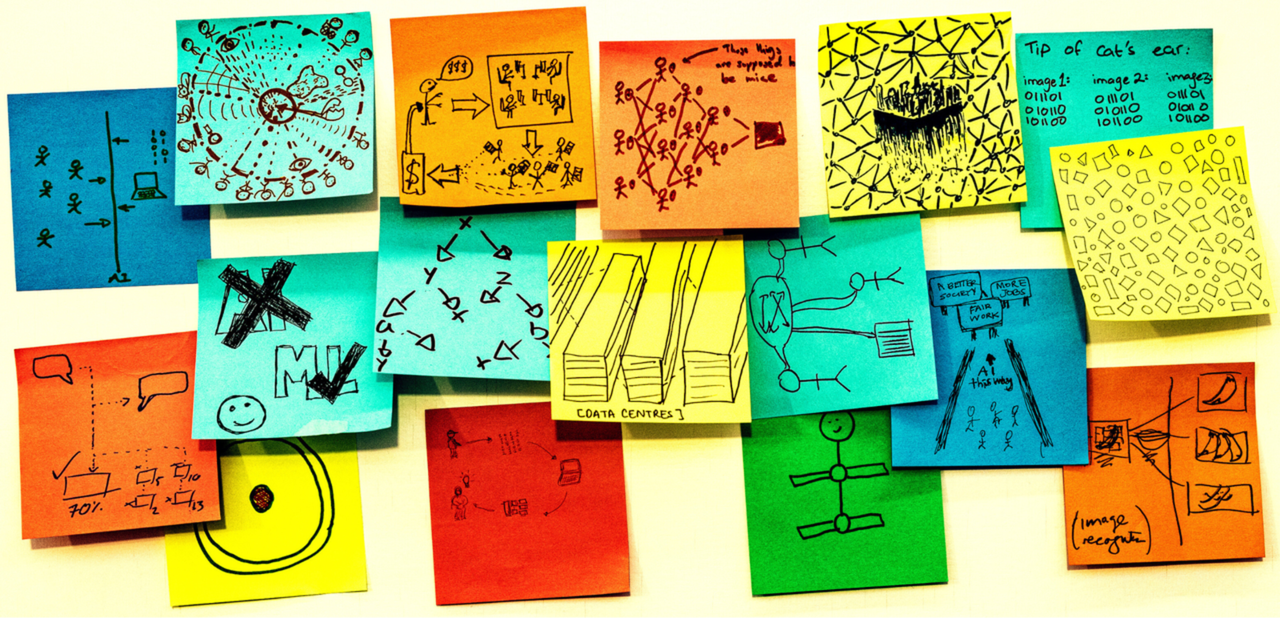
Image Source: Rick Payne and team / Ai is… Banner / Licenced by CC-BY 4.0
Luke Hobson brings together multiple perspectives as an instructional designer, author, educator and social media influencer. His background includes industry-aligned online learning at MIT xPRO, higher education instruction as a lecturer at University of Miami School of Education and Human Development, and community building through the Instructional Design Institute. In the interview for AACE Review, we talk about how generative AI changes instructional design, Luke shares his own processes for designing and editing, how he likes to build his own GPTs for recurring tasks, and why he thinks AI’s role in learning is to be the sidekick not the driver: “At the end of the day, when we learn something new—when we find something fascinating, entertaining, or educational—we want to talk about that with other people.”
Interview Recording
Interview Transcript
“Why would I use that?”
Stefanie Panke: Please think back to the time when you first used generative AI: What was your first encounter, what were you thinking back then, and how has that changed over time?
Luke Hobson: Sure—so thank you for having me, by the way. The first time that I encountered generative AI, I was creating a new AI program at MIT back in 2019, and the professor actually said that we all need to pay attention to ChatGPT. And I was like, what the heck is that? It’s a weird-sounding name. He went on to describe what it actually did, and I was like, okay—but the main thing was that the focus of that course was talking about LLMs in terms of healthcare and drug discovery and trying to do all this greater good for the world. I never thought about us—like, where does the general population fit in when it came to using generative AI?
Fast forward to several years later, and a friend of mine—his name is Peter Shea, and he hosts the wildly popular Facebook group of instructional designers in higher education—kept on pinging me, saying, “Hey, have you tried ChatGPT?” And I was like, “That thing? The thing that helps with figuring out new types of ways of curing cancer and stuff?” I was like, “No! Why would I use that?” And that’s when he was just like, “No, no, no—you don’t understand. I can actually insert my learning objectives, and it can help me rewrite them and make them better.”
I was like, “That’s… interesting.” So I finally caved in, because I was very resistant to use another tool. We’re always introduced to new things in higher education that are supposed to make everything better and change things, and it really doesn’t happen so much. It usually fizzles out with a new type of technology—especially with technology. So I ended up trying it myself by essentially copying and pasting my syllabus from my course, and using the very, very simple prompt of just: “Make it better,” to see what had actually happened.
And then, sure enough, it did. It tried to take my learning objectives and rewrote them to something. I’m not sure if they were better, but hey, it actually understood Bloom’s taxonomy, and it’s going through and trying to make edits. It tried to make a few updates and tweaks and changes to my assignments and the exercises—and that was enough for me to say, “Okay, maybe there’s something here.”
And that sent me down the rabbit hole of experimenting. I tried a million different things, as far as taking transcripts and repurposing them, to helping with writing my letters of recommendation. I did a bunch of different things. And that’s what had me going online and creating different videos to show people: here’s how I’m using ChatGPT. And to see where it’s gone in 2026—with the creations of all the other different LLMs and different types of voice generation and video generation tools and everything that’s coming next—it’s pretty crazy to see where this all might go.
“Everything will always create more work”
Stefanie Panke: In your day-to-day experience as an instructional designer at MIT xPRO, where does AI in your work reliably speed things up, and where does it actually create more work?
Luke Hobson: Everything will always create more work, because you have to review everything. I don’t trust a single thing that I get. I always have to go through, read line by line, see if it makes sense, and give it a second set of eyes with one of my team members. So, in that sense, no matter what we do, it’s never just taking something at first glance and being like, “That’s great,” and then sending it onward. That will always be there.
One example, though, of how it actually sped up things for a process is that one professor who we were working with—his course was on AI—and naturally, he was really having a hard time trying to keep the course as fresh as possible, because something would change every single second, and he wanted them to have the latest and greatest information. So he came to us basically exhausted, saying, “I don’t know what I can do, but we have to keep on doing something. Is there anything else I can do besides constantly making videos and using that as announcements and talking about new things?”
So finally, we used one tool that’s called DID, and that tool allowed us to create a virtual version of him, then clone his voice. Now he just writes out the updates, and we send that into that, so that there is our virtual version of the professor reading those in real time. And that was something that allowed us to make something that was kind of quirky and fun, because you have the exact 3D version of this professor—and it’s still his voice. It cloned his voice; it still sounds like him. And I then gave the example to students in the AI course to say, “Hey, here’s what we can actually do with AI.”
And when we first did that, it was kind of almost revolutionary, because they were like, “Wow, I can’t believe it.” Now, that’s very common—to have these AI avatars and such—but that was one way that really helped with speeding things up, instead of having him go back into the video studio every single time, record a new video, publish it, edit it, and so on and so forth.
Stefanie Panke: You also create a lot of content for social media, and also have a podcast. Has generative AI changed your production process—from recording to editing to publishing? And how?
Luke Hobson: Quite a bit. For the actual recording process, I use a tool that’s called Riverside. Riverside does auto-editing from the podcast perspective, so it can remove any pauses or filler words, any dead space, anything like that. It can also take my videos and find what they call “magic clips,” where they find 60 seconds of the video, pull that from it, and then create a YouTube Short from that, and then I can upload that.
So from one long piece of content, I now have about 10 pieces of content, because it finds shorter, bite-sized versions. If I was doing that manually, I wouldn’t. I would not do it. People would have to hire editors and other freelance designers to help them out, whereas now I can just use the Riverside tool, and that greatly helps me out.
Same thing when it comes to generation of the artwork for the show. Every single podcast episode has to have a thumbnail. Same thing with YouTube—every video has a thumbnail. Trying to make those yourself in Photoshop or Canva gets really tiring. So now, having AI built into every single tool—whether I like it or not, because it’s really annoying trying to shut it off from everything—at least in Canva’s version and Photoshop’s version, the AI tools are pretty helpful. So that allows me to speed things up from that process perspective, too.
Stefanie Panke: Like many people, I loosely follow Ethan Mollick when it comes to AI. Not too long ago, he wrote a blog post where he suggested letting different large language models interview for a job. When you’re deciding between different AI tools, what’s your decision framework?
Luke Hobson: That is a really interesting idea. I never thought about that before until you just mentioned it. From the perspective of which tool to select: one caveat is that when you have a variety of tools, typically speaking, the institution already has so many licenses, and there are already so many dedicated to different types of tools. So it’s not like for every project I’m working on, I’m going to be looking at all the five top LLMs, put them all through the gamut, and see what does what.
Because I know for a lot of universities who I work with and who I speak with, they are a Google school—so they only use Gemini—or it’s more of an OpenAI partnership, and so they only use ChatGPT. So that’s kind of a different thing to think about: if I wanted to explore only using Claude for some things versus ChatGPT versus DeepSeek versus whatever—what would that actually look like?
For me personally, I usually come down to Gemini and ChatGPT from the LLM perspective at this point in time. I would say it’s more about the fact that I’ve become so used to working with them—because now it’s been years at this point in time—that I just know how to do everything and how to get the most out of them. If I wanted to explore a new tool, perhaps more from a data perspective—which I heard from some colleagues that Claude is way better when it comes to data and trying to do more from an analytical perspective—I believe them. But I’ve been able to do things fine on my own with the other tools that I currently know, so that’s what I do.
But I can very well see how, even just between Gemini and ChatGPT, it would be interesting to think about who can help me with what better. So, yeah—for me, it’s more the familiarity of it all. But yeah, it’s a really interesting idea.
I make my own customGPTs
Stefanie Panke: Especially when it comes to ChatGPT, there are so many different custom GPTs out there now, it’s hard to establish quality criteria. Which custom GPTs do you personally use, if any?
Luke Hobson: What’s funny is that I really only use the ones that I’ve made, because I have a ton. I’ve created at least ten. Because I was so sick of entering the same prompts every single day. So it finally became: I will just make a custom GPT, and then I’ll just share it with everybody. If they like it, great—you can see people talking about it, the amount of usage, and things of that nature.
So that’s what I started to really do, and I went down that rabbit hole. I have custom GPTs to help me with the latest learning science—I ask it to pull from specific journals that were open and accessible, so it can give you essentially “the morning paper” for what is the latest and greatest learning science for the day.
I have a writing GPT to help me with everything from references to grammar—everything like that. My most popular one is definitely the custom GPT that I created for Universal Design for Learning and accessibility. I did essentially a combination GPT of that, and by training that one, the idea was to help where you have a lot of instructors out there who are starting to learn about UDL, or perhaps have known about it, but they’re not sure how to actually put it in place.
For that one, the idea—which is really helpful—is that if you do have a document and you want to upload it, you can say: “Help me—when thinking about diverse backgrounds and all people—what should I be looking for in this assessment that I’m currently not seeing?” And it can help with that. Or: “If you want to draft up a rubric using a UDL lens, can you help me out with that?” And it can go down that rabbit hole and get incredibly specific to help from that perspective.
That’s another one that I use all the time—trying to get essentially a second set of eyes. So that one’s a good one.
The one I was just introduced to that I really haven’t used yet—but I just heard about it yesterday, so I’ll give it a plug because I just found out about it yesterday—was the WCAG one that was just created. It was presented at the UPSEA conference. I’m not sure if you attended that one—it literally just happened yesterday—and they created one that was all essentially in a strong focus on accessibility, for the latest guidelines and recommendations. They made a new custom GPT for that. So that one, I’d be curious to play around with more.
And the other part about all of this, too—which goes back to your question of how you know which ones are accurate, how you know what information it’s giving you—what I found frustrating was that I would find ones that were close, but not close enough. And I kept being like, “No…”
One example was that I would find custom GPTs that would talk about learning styles. And I was like, “No—don’t talk about learning styles. Those aren’t real; they’ve been debunked for many years,” blah blah blah. And it kept talking about that, and I was like, “I’ll just make my own,” and then say: “Do not acknowledge learning styles. They are not real. They are debunked. If someone asks you about that, gently guide them toward this other research instead,” and try to help them see the light—kind of a thing.
So when it comes to that, I am very skeptical to see what the information is and how it’s presented. As soon as I get something that’s just off, then I go and build my own. That’s what I’ve always done. So I’m not in the camp of using others—I just like to make my own so I know they’re right. That’s just kind of how I roll.
Stefanie Panke: Thank you so much. Well, I was going to ask you about Universal Design for Learning and digital accessibility, and how generative AI can support both. But it sounds like a good starting point would be to try out your custom GPTs for both approaches. Beyond that, do you have other favorite prompts or tips or tricks to support digital accessibility, specifically with generative AI?
Luke Hobson: Sure. The custom GPT is called Your UDL Pal. Going back to your point, I found it so frustrating that it wasn’t doing what I wanted when it came specifically to UDL and accessibility, and I was like, “Well, what if I just upload all of the guidelines from CAST? What if I upload everything that’s the latest, best principles and everything?” And then, sure enough, it gave me what I was looking for.
When it comes to supporting things from the accessibility perspective, one of the things that I found to be so interesting is that because we’re in higher education, we work with a lot of learning management systems. From a learning management system perspective, they now keep incorporating different types of AI tools—which, on one hand, can be great; on the other hand, you’re not too sure how that’s going to go.
But one of the things that has been making me at least somewhat hopeful is that because AI is now inside of LMSs, there’s this focus on accessibility that really wasn’t there before—which I find kind of interesting. So now, when you upload a graphic and try to move to the next page, it says, like, “Hey—wait a second—there’s no alt text here. Do you want us to generate something?” And I’m like, “Oh, that’s nice!”
Because I absolutely have professors who I work with in designing their courses where they upload everything at once and they never go back. And I’m like, “No—that’s not how this works! You shouldn’t just do a massive batch upload and then forget to go back.” But I also understand the human nature of how people operate. They like to upload all their videos at once, and then the transcript machine is running in the background, and then they forget—or the transcript doesn’t look right, so then they don’t know how to go back and forth.
Now, if we have something in there that serves as a reminder—“Hey, you uploaded a video, but there’s no transcript yet. Are you going to do that?”—that will give you that second reminder to do so. And then, of course, the AI tools that help generate transcripts, which are getting really, really accurate, have been phenomenal.
Before, I would say things and then read the transcripts, and I’d be like, “That is not at all what I said.” Now they’re getting really, really close—especially with some of the tools I’ve been using. I’ve been using mainly Riverside from a transcript perspective.
When we talk about subject matter experts, we don’t say “SMEs,” we say “smeeze”. So what does that sound like? Obviously: “sneeze.” So I keep seeing that—“Luke said sneeze”—and I’m like, “No, no, I’m just trying to say the acronym thing.” And it is now recognizing that. So those tools are getting better—a lot better—from an accessibility perspective.
My hope is that in the future, as soon as we upload something into a learning management system, it just does everything automatically—like, boom: here’s the best alt text, here are the best captions, here are the best transcripts—and that would be incredible if we can get to that point. And then, from a UDL perspective, we’re still making sure we’re serving all people, and that only helps even more people.
So that would be a wonderful goal if we can do that.
‘There is every cause to be concerned’
Stefanie Panke: Let’s talk a little bit about the downsides and how to avoid them. Many people are starting to become wary of what is often referred to as AI slop. What are your best strategies to avoid superficial, generic outputs—especially when AI is used for drafting?
Luke Hobson: There is every cause to be concerned, and a number of different perspectives we can go down in this rabbit hole—but the AI slop is certainly true. I’ve seen it personally as a designer. You’ll see that someone puts something in their course, and then they copy and paste the prompt inside of the course, and you’re like, “Well, clearly—that wasn’t you.”
And I’ve received submissions before where you have a random thing that bolds a random word in the middle of paragraphs, and it keeps bolding things, and you’re like, “Yeah—that wasn’t you. You never talk like that. Something’s kind of up.”
So from that perspective, I can definitely see it. That’s a minor cause of concern—and we’re certainly much worse about that. What I’ve found to be helpful for not creating that generic output has been to be incredibly specific around what you want in the prompt—and then do it again and again and again.
What I see for a lot of educators that I’ve trained over the years is that they will do the very basic thing—like what I did back in 2022—of “make it better.” And it’s like, no. Why don’t we refine that even more to say, “I want you to draft my learning objectives based on the work of Bloom’s and the cognitive domain,” and then going into blah blah blah blah. That’s going to make such a stronger learning objective compared to just saying, “Make my learning objective,” because it doesn’t know.
And then even from there, if I enter that information, I’ll get back a response that I’m looking at, and it will still have words like “understand,” “know,” and “learn,” and I’m like, “No—I don’t want those.” Or it will make it really long, or have multiple verbs. So even though I said “use best principles,” it still won’t do everything 100% correct. So you keep having to go back and forth again and again and again.
And of course, my favorite one—which is the starting point—is to say you can have the LLM imagine itself as X position with so many years of experience. That will take that broader information and really dial it down to be incredibly specific: “You’re an instructional designer at Harvard, you’ve been there for 20 years, you know what to do,” and then put in that prompt. So that’s another tip and trick.
Stefanie Panke: Many educators are concerned specifically about the use of generative AI—not by themselves, but by their students, by their learners. The fear is that students are cheating themselves out of an education by letting AI do all the work. How does assessment redesign show up in your instructional design work? How much of your work is currently concerned with, “What do we do about assessment?”
Luke Hobson: This is now the topic that everyone wants me to come and do workshops on: how do I reimagine assessments in the day and age of AI? Because we can make things not AI-proof—which is what I was saying earlier—but as more technology keeps coming about, now I’m changing it to be more AI-resistant.
If we take something—let’s say, in my courses, my students do reflection assignments. At the end of the week, they’re reflecting upon what they’ve learned, and essentially applying that to a past experience, future-forward thinking, something along those lines. That reflection assignment used to be a written assignment. Whereas, if I was concerned about AI use, I can say: “I want you to record yourself as a video doing that reflection assignment and submit the video as the assessment ”.
Or, if we wanted to do something with the courses at MIT: a lot of it is working with one another. There’s a lot of peer-review-based work. There’s a lot of critiquing, debating, and going back and forth. If we wanted them to hold one another accountable, we can have the option for them to weigh in and review: how did the person contribute to the conversation?
So if you did want to give someone a grade—not just an overall grade about what they did for the submission, but a grade as in “did you participate as a team?”—you can do that as well.
Or, if you wanted to do something that’s really making sure you’re not clearly using AI for things, I think about community-based learning: having students work on something that’s going to be a real-world problem, and then bring that solution into the legit real world, and then write about it and see how it goes. I’ve had plenty of students who have gone out and designed learning experiences for nonprofits, for churches, for local communities—trying to make that impact—and then coming back and writing about how it went.
There are many more things you can do. I love having students interview other professionals in the field, because then they can record themselves via video, I can see the conversation and how everything went, and then they build out their network—where it’s always great to have as many connections as possible—so that kills two birds with one stone.
Anything like that, you can definitely do. The angle should never be to tell a professor at a university that they have to tear everything down to the studs—destroy everything and start from scratch—because they’re never going to do that. If you want them to reimagine an assessment, take what they currently have and do a little flipping—reimagine it in a small way—and that would extremely help out.
So the journal, the reflection exercise—it’s not hard for me to say: “Instead of writing a paper, record a video.” Yes, grading is different—now I’m watching 30 videos. Certainly, that’s a different take on how to grade things. But the message is still there. It’s still the same—it’s just a little bit different. But then it’s like, “Oh, okay. I got it. This is great.” So those are a few thoughts around AI and cheating and such.
Stefanie Panke: In your instructor role, what misconceptions do your learners—your students—bring about AI, and what skills do you want them to build?
Luke Hobson: What’s interesting is that all my students are educators—many who want to be instructional designers, many who are already instructional designers, or want to become professors, and everything of the sort. It’s very meta: I’m an instructional designer, I teach about instructional design, and my students themselves are either instructional designers, soon-to-be instructional designers, or so on and so forth.
What I hear from a lot of them is either overreactions to things or under-reactions to things. Some of them have not acknowledged what AI can currently do. I’ve spoken with a few folks who, when we talk about some advancement of ChatGPT, still think about ChatGPT as the thing that just creates fake citations—and as soon as that happened, they’re like, “It’s useless.”
And I’m like, “Have you seen what it can do lately? It’s not useless anymore.” So there’s a lot of that—just not truly knowing what’s happening because they’re not staying in the trenches of everything. So much happens, and they don’t have time to keep up. I totally understand. I don’t expect someone to keep up with that rapid pace.
The other part is kind of interesting: it’s showing them how students are currently cheating, but I’m showing that to my students. So I’m basically like, “Hey, here’s how you can cheat on my assignment—but I want you to know, because your students are probably cheating on your assignment, so I just want you to be informed.”
I showed all my students last semester about ChatGPT’s Atlas and Perplexity’s comments around the fact that now we have agentic browsers. We’ve never had that before. Now, when you share your screen, you can have it perform tasks—and if you wanted it to perform tasks inside of, say, your course on Canvas, you can. And there are slowly workings to try to prevent these things, but not entirely yet.
So it is very funny that I’m essentially teaching my students how to cheat—but at the same time, how to block things, and how to rethink everything.
And absolutely—how to have the conversation with students about AI has been huge. Everyone wants to be on one side or the other: either full-blown “let’s use AI for everything,” or they want to say there’s a magic button we can push and now AI is gone and you don’t have to worry about it—which neither is going to happen.
Instead, what I love to do—and part of teaching about AI—is to have the conversation: here’s how you can actually use it, and here’s where we can run into dangers with ethics, student data, privacy, deepfakes—a number of different things that could go very, very, very wrong that they should be aware of. So it’s teaching them about the rights and the wrongs of using AI, and my hope is that they then take that back to their students and have that same conversation: here’s how we can use this to make everything more practical and improve things, and here’s some stuff we should never, ever touch—let’s not go down that dark path of the internet.
Stefanie Panke: You are interacting with diverse audiences around generative AI. You’re using it yourself; you’re seeing your students use it. What are your thoughts? How does interacting with generative AI affect social-emotional development?
Luke Hobson: One of the number one ways that people are currently using AI—and Harvard Business Review put out the results the other day—one of the number one ways from last year, and it’s only gone up in popularity since then, has been using AI as therapy.
And I feel like that’s all I need to know—where I’m like, “Alright.” On one hand: yay. Other hand: clearly not the right avenue to do. I’m glad someone is taking a first step, but especially for trying to improve upon everything for just being a human—we should be talking to trained professionals and not just doing everything with AI.
So from that social-emotional perspective, it’s really, really, really fascinating to monitor and see exactly where this might be going. And of course, the health industry keeps taking note around how people are interacting and using AI more and more.
What this question reminds me of is: have you seen that video—it was viral not too long ago—about a guy walking into a convenience store, not knowing how to socialize with someone, so he asks ChatGPT, “How do I ask the cashier to say X?” And then the cashier looks at him and is just like, “I have no idea.” So the cashier asks ChatGPT, “How do I respond?” And it’s this back-and-forth of using AI to communicate. And it’s like—well, I really, really, really hope we don’t go down that road.
I truly hope we can still communicate, look each other in the eye, and have meaningful conversations. Especially thinking about my daughter, who is now seven months old, and thinking about where this might be going in her future—it’s wild.
I’ve seen the generation above hers—Alpha? Maybe? There’s Beta, Alpha—there are too many now. But my little brother grew up with Siri. Seeing him interact with Siri—that was totally normal. And me, in my 20s, being like, “I hate this thing. It doesn’t work. It’s so weird. I hate using it.” And he was like, “Oh no—the normal part of the house is that I have my TV, and I have Siri, and I have my laptop.” And I was like, “Huh.”
So that now makes me wonder about the next generation: will you just think, “Oh, AI’s another normal tool that I have access to”? I’m really curious—and I still don’t know if we’re going in the right direction with that, to be honest with you.
Of course, can we use it to help out with development and such? Of course. I was helping out a professor the other day with her public speaking course, and she was asking me, “How do I incorporate AI into a public speaking class?” And I was like, “Let’s talk about that,” because we can use it for reviews, suggestions, tailoring assessments, and if it’s recorded on video, to watch for body language—counting on fingers, looking up and down—what exactly are they doing?
So there’s a lot of good we can do with it, but for the most general population, I don’t think it’s going in the right direction. I’m being honest.
Ending on a darker note, but… no, I don’t know. I don’t know. Not too keen on where this is going from a social-emotional development perspective.
“It should be the sidekick”
Stefanie Panke: What do you think makes education fundamentally human, or is it?
Luke Hobson: Learning should be a human process, but also, learning is social. Learning is community. Learning is engagement. And we can’t get that with just Gemini, or ChatGPT, or something else. It just doesn’t work like that.
I know that some people are trying very hard to make that a reality, but at the end of the day, when we learn something new—when we find something fascinating, entertaining, or educational—we want to talk about that with other people.
That is why we keep saying to keep the human in the loop. Because we do. The human should be the focus. The students should be at the center of everything for learning. It should not be that the tool is now replacing everything and always getting the spotlight—and unfortunately, it keeps getting more and more attention—whereas it’s like, no: it should be the sidekick; it should be the assistant; it should not be the end-all, be-all. You still have to make sure that the person is at the center of it all.
So learning is those things to me. It’s community. It’s social. It’s the interaction. And that can’t be replaced by AI.
Stefanie Panke: Thank you so very much.
Luke Hobson: Of course. Of course—my pleasure.
About:
Luke Hobson, EdD is the senior instructional designer and program manager at MIT xPRO and a lecturer in the Department of Teaching and Learning at the University of Miami’s School of Education and Human Development. He’s also the author of the book, What I Wish I Knew Before Becoming an Instructional Designer, the host of the Dr. Luke Hobson Podcast and YouTube Channel, and the Instructor for Instructional Design Institute. Dr. Hobson was named as one of the top learning influencers in 2022 and top e-learning experts in 2023.
