ELAI 2025: Understanding AI as a ‘Generational Opportunity’
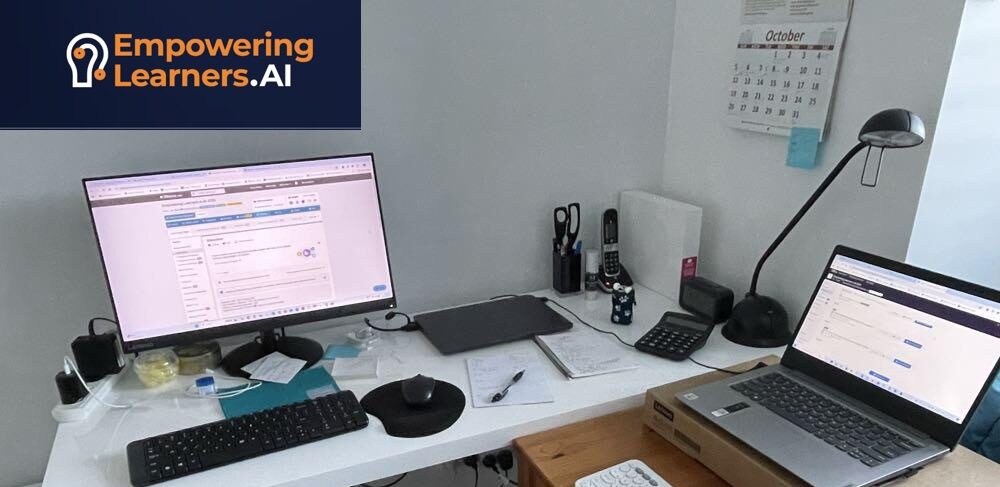
ELAI 2025, organized by Grace Lynch, George Siemens and Nina Seidenberg – behind the scenes look from Grace Lynch’s desk on day 2 of the conference.
It was a joy to attend this year’s ‘Empowering Learners for the Age of AI’ (ELAI) conference from October 7-9. With over 1,500 registrations this free online event ‘sold out’. There were between 120-250 participants in the sessions I attended. All sessions were recorded and the recordings are available the week following the live event through the app. Some sessions were in Spanish. The conference used the Whova app as infrastructure.
Excellent speakers and an engaged community made ELAI 2025 a treasure-trope for learning and connections. This wasn’t your usual academic conference. Many presenters were designers, developers, coders who connected their deep subject matter expertise with the audience diverse skillsets and backgrounds. I attended some highly technical talks that were surprisingly approachable. George Siemens led through the event with his thoughtful and competent moderation.
Keynotes and Talks
This is a fairly eclectic collection of my personal conference highlights, that I hope will convey a general flavor of the types of sessions and diversity of speakers. I was not able to attend all sessions I had saved to my planner due to time zone and work schedule conflicts, so I hope to find the time and tenacity to go back to the recordings.

My start to the conference was the keynote by Rob English, which refreshingly wasn’t a formal presentation, but a free-flowing conversation. Rob English described his creative beginnings in Chicago, tracing his roots back to high school journalism and design: “It really set my life on the trajectory that I’ve been on to this day.” He noted how early exposure to graphic design and storytelling shaped his approach to brand and narrative work that now spans from social impact foundations to global artists like Lady Gaga, Pharrell Williams, and John Mayer. English connected these experiences to his current collaboration with the Obama Foundation on narrative and storytelling projects, noting: “A lot of where my career has transitioned is being in these spaces where I’m able to leverage the things that I would bring to culture.” English positioned himself as a lifelong “culture guy,” describing how his creative instincts inform his work in education technology:
“It’s the pleasure of being plugged into the vibration of how culture’s moving.” He explained that his work often focuses on bridging the gap between what educational technology tries to do and the actual realities and desires of its audiences: “We create more understanding of the audiences that EdTech companies or initiatives are trying to connect with.” He compared the emotional energy of learning design to the cultural excitement of a concert or brand launch, saying that learning experiences should evoke a similar feeling of participation, energy, and identity.
The conversation turned to AI’s potential to amplify or diminish human creativity. Siemens asked whether AI risks “flattening what makes us unique.” English responded: “It’s going to depend on us at the end of the day… what AI is opening is the possibility. For us to lose that sense of humanity—or to amplify the things that make us more human.” He emphasized intention as the determining factor in how AI reshapes creative and learning practices: “It’s going come back to our intention—how we usher it into the world.”
English made an interesting connection between learning and the EQI framework for branding—Emotional, Quality, and Identity factors: “Most brands, if they’re lucky, get a couple of these things. The emotional factor. The quality factor. But the really great brands meet the third need—the identity need.” He argued that great learning experiences, like great brands, should meet emotional, quality, and identity needs—helping learners see themselves within the experience. English reflected on his work with Chegg, where he explored how technology could enhance learning rather than replace it: “It’s not being a cheating tool—it’s being an actual tool that helped gain more understanding.” Both speakers acknowledged the tension between automation and authentic learning, with Siemens adding: “There’s always a trade-off between what we are gaining and what we are losing in the use of AI.”
English emphasized the emerging importance of human taste, intuition, and curation in an AI-saturated world: He noted that creative teams are shrinking as AI enhances capacity: “I may right now only need three writers—but I need three writers who are really well-versed in how to use the AI tools in ways that are not just outputting headlines.” Siemens raised ethical and pedagogical questions about AI in education—particularly around AI-centric schools and human-centered design: “Shouldn’t we be focused on the students and their skills and knowledge?” He referenced the “Alpha School” model—where students spend two hours daily working with AI and the rest in purpose-driven, social, or creative activities—as an example of balancing automation with authenticity. English agreed that: “At the end of the day, it’s going to come back to our personal intentions in how we utilize these things… If we are wise, we will continue to grow. If we offload too much, we will lose.”

The keynote by Hamel Husain, Stop Guessing, Start Learning: A Practical Guide to Building AI That Works, explored the growing importance of AI evaluation (“evals”)—structured methods to assess how AI systems behave, fail, and improve through iteration. The session bridged technical and educational perspectives, emphasizing that AI evals are not only crucial for developers but increasingly relevant for higher education institutions designing AI-enabled tools and workflows.
Moderator George Siemens noted that universities are beginning to build AI-driven tools—chatbots, course builders, and tutoring systems—but often lack a framework for evaluation and aren’t familiar with terms like ‘trace’. Husain offered a scenario: a university chatbot that helps students select courses. This “course registration assistant” interacts with the user and retrieves information such as prior coursework, seat availability, and eligibility. Behind the scenes, this system involves a large language model (LLM), system prompts, and calls to institutional databases. Such systems require observability—tracking and logging user interactions (“telemetry” or “traces”)—to analyze where things go wrong and how to improve responses.
This setup illustrated a key point: AI systems are socio-technical, involving prompts, data retrieval, and user interfaces. To make them effective, universities must look beyond “magic” AI responses and focus on system-level evaluation.
Husain stressed that error analysis—understanding specific system failures—is foundational. Too often, teams skip this phase or outsource it to vendors. He warned against writing evals or using metrics before understanding the underlying data or failure modes.
He summarized the five major pitfalls (as shown in his slide “Avoid These Mistakes”):
- Writing evals before conducting error analysis
- Delegating annotation to developers rather than domain experts
- Using generic, off-the-shelf metrics as truth
- Skipping the “looking at data” phase
- Building evaluation infrastructure before understanding failures
Husain argued that evaluation is best learned by doing. He recommended that practitioners—whether engineers or educators—create their own annotation interfaces using simple tools like spreadsheets or Google Sheets. AI can assist with visualization and data annotation, making the process accessible even for non-coders. He highlighted a live demo (bit.ly/lenny-evals), showing an end-to-end example of how to conduct AI evals, emphasizing that even basic spreadsheet workflows can reveal deep insights into system behavior.
A critical insight was the phenomenon of “criteria drift.” As domain experts engage in iterative evaluation with AI systems, they unconsciously adjust their expectations based on what the model can or cannot do. This creates a two-way alignment process: the LLM becomes more consistent with the domain expert’s criteria, while the expert becomes more accommodating of the AI’s trade-offs. Husain referenced Shreya Shankar’s paper “Who Validates the Validators?” for a detailed analysis of this effect.

Aaron Cavano’s talk on ‘Vibe Coding for Academics and Researchers’ was a fantastic hands-on introduction and live demonstration. “Vibe coding” allows non-technical users to design and prototype digital experiences rapidly. Cavano emphasized using AI agents and API integrations to lower the skill barrier for building applications: “Once the skill gap shrinks, anybody has access to build.” He compared this democratization of coding to the historical shift from mainframes to personal computing to the cloud, arguing that we’re now in a phase where compute and creation are accessible to everyone. Echoing Andrej Karpathy’s idea, Cavano encouraged participants to embrace “throwaway code” — lightweight, temporary builds for proof-of-concepts. The shrinking cost of compute and tooling means the threshold for experimentation is dramatically lower.
Cavano described how he imagines a “product team” made up of AI sub-agents — each representing a role such as QA, back-end, front-end, or architect.
- Each agent contributes different perspectives on a plan or design.
- Running them in parallel enables rapid ideation and synthesis.
- Users can review outputs, combine them, and direct the agents with increasing specificity for better results.
This structure mirrors human collaboration but automates iteration and critique — a form of “AI pair-programming at scale.”
Cavano demonstrated how to integrate Google’s Gemini Nano Banana model — a lightweight generative image model — into a Next.js application to automatically generate personalized learner profile images during onboarding. He began by conceptualizing a new feature for his app: whenever a user completes onboarding, the system would use Gemini Nano Banana to create a unique visual representation of the learner (such as an avatar or digital card). To build this live, Cavano used Claude Code in a “vibe coding” flow, prompting the AI assistant step by step to generate the integration code. Before writing any code, Cavano queried Perplexity to retrieve the API documentation for Gemini Nano Banana, then fed those API details directly into Claude Code to guide the build process. He then created a new API key in Google AI Studio, copied it into his project, and instructed Claude Code to connect the API to his onboarding pipeline. “I’m using Claude Code to vibe code it, I’m also doing this live on a demonstration, so please make this work.” – It actually didn’t, but as Cavano explained that with 15 more minutes it would be easily at a stable state.
Prompted by a user question, Cavano and moderator George Siemens discussed differences in user experience across environments:
- Cloud-based tools (e.g., Replit, Lovable, V0, Figma Make, Claude Online) are highly accessible for ideation and “sandboxing.”
- Local tools (desktop apps or locally-run models like Llama) provide more power and control, especially for those worried about training data or privacy.
Cavano observed that running locally allows deeper customization and editing of generated code, whereas cloud tools prioritize speed and ease of iteration. It was a fascinating demo, masterfully delivered, but nothing something I will attempt anytime soon.

An inspirational highlight of the conference was the presidents’ keynote with Mark Milliron (National University) and Lisa Marsh Ryerson (Southern New Hampshire University).
Lisa Marsh Ryerson framed Southern New Hampshire University’s (SNHU) AI work as deeply human-centered and mission-driven. She described SNHU’s approach as a hub-and-spoke framework, with AI efforts centralized in the president’s office but closely connected to every academic and administrative area. This structure allows experimentation (“sandboxing”) while keeping alignment with institutional values: “We see AI as a generational opportunity”. Ryerson emphasized a people-first, AI-enabled philosophy. For her, AI is not a replacement for human connection but a way to extend equity, access, and sustainability—helping learners who are often left behind to persist, adapt, and thrive. She linked this directly to social mobility and community resilience, arguing that credentials alone do not remove systemic barriers; technology must be embedded in an institutional ethic of inclusion.
“We have more than 50 proof of concepts right now that we’re working on… We see AI as a spectacular and joyous opportunity—to reinforce our people-first orientation with an AI-first orientation. When we get it right, our learners, who are often left behind, will have all of the resilience to continue to learn and use AI in their lives in ways that unlock opportunities for them. Because degrees and credentials alone do not stop systemic discrimination in communities. But being agile and facile with AI, we see as a real boost.”
She also tied AI to environmental and organizational sustainability, framing innovation as both a responsibility and a renewal strategy for the university. Her reflections were grounded in optimism and accountability—AI as a “joyous opportunity”, but also heavy concerns about environmental footprints, citing recent studies and initiatives by UC Riverside and UT Arlington.
Mark Milliron approached AI through the lens of design thinking, infrastructure, and cultural transformation. At National University, he explained, AI is seen as part of a larger family of tools, alongside extended reality (XR) and other emerging technologies. Rather than focusing solely on automation or productivity, Milliron highlighted the need to rethink the collegiate experience itself—from a series of courses to a coherent ecosystem of learning experiences. He credited his faculty leaders for guiding the university’s systematic experimentation and discussed the role of an AI Council that brings together academic and operational perspectives. Milliron spoke about balancing enthusiasm for innovation with critical reflection—remaining open to technology’s potential while avoiding what he called “falling in love with the tool.” A major focus of his remarks was equity for nontraditional, working, and first-generation students:
“We call them Anders – because they are students and employed, they are students and deployed, they are students and parents, they are students and caregivers. Part of our job is to understand how to meet them with their and”.
He suggested that AI can act as a new kind of social scaffolding, helping learners navigate decisions and systems that were once supported by family or community networks. His framing positioned AI not as a disruptor, but as a leveler—a way to close opportunity gaps and make higher education more navigable for those historically excluded.
“We’ve known for a long time that first-generation and low-income students and working students have real challenges navigating higher education. And often that’s because they don’t come from multi-generational families of higher ed. I would argue second, third, fourth generation higher ed students have always had AI. There were extended families who came in and helped them navigate higher education because they had a knowing about it. So, if they didn’t understand it, other people came in, scaffolded them, and helped them navigate – whether it was choosing classes, choosing majors, making decisions, going in different directions. I actually think AI has the potential to level the playing field in a pretty significant way.”
Milliron also emphasized incremental improvement and empathy-driven leadership. He described a philosophy of continuous, small changes that aggregate into meaningful institutional transformation. His tone balanced pragmatic realism with moral clarity: innovation must be rooted in care, trust, and student success.

My final session of the conference was the panel ‘Innovating Assessment in the Age of AI’ with Yizhou Fan and Joanna Tai, moderated by Jason Lodge. The rise of generative AI is reshaping what, how, and why we assess. This panel set out to explore how educational assessment can evolve to support responsible learning while upholding academic integrity in AI-mediated environments.
Jason Lodge opened by noting that universities can no longer meaningfully “ban” AI, as students are adept at circumventing such restrictions. Instead, he framed AI as a mirror revealing deeper, longstanding flaws in assessment design. The core issue, he argued, is the assumption that a single product — a paper, project, or exam — can adequately capture a learner’s development. He referenced David Boud’s “Assessment 2020” report, noting that many of its aspirations remain unfulfilled 15 years later. “If we had met some of those aspirations,” he suggested, “perhaps we wouldn’t find ourselves in the situation we are in now.” Lodge was particularly critical of the fixation on AI detection as a solution: “there are no reliable and valid AI detectors out there, I’m sorry to say, for anybody still holding out hope for that one.”
Instead of policing cheating, he reframed educators’ work as identifying evidence of learning: “Our job is not to look for evidence of cheating. We’re not the learning police. We’re trying to find evidence that students have learned — or, as the case may be, evidence of no learning.” He urged a systemic rethink of assessment across educational levels — not merely updating assignments, but questioning how entire systems define, measure, and certify learning. He described this as a structural issue: education systems are “set up to assure that students have done the learning they must do,” yet may not actually be equipped to know their students deeply or understand how learning happens. Lodge concluded his introduction with a call for innovation: new forms of assessment that capture learning as an ongoing process rather than a one-time performance snapshot.
Building on Lodge’s framing, Yizhou Fan argued that AI disrupts the longstanding assumption that assessment must focus on final products like essays or designs. “We can no longer represent the real learning or improvement of skills just by looking at the final product.” He proposed a shift toward metacognition-oriented assessment, emphasizing reflection, self-regulation, and awareness of how students learn — not just what they produce. Fan warned of the risk of “metacognitive laziness,” where students rely on AI feedback rather than developing the capacity to plan, monitor, and evaluate their own learning.
Joanna Tai focused on the human dimension of assessment, particularly evaluative judgment — the ability to discern quality in one’s own and others’ work. “AI might be great at interpreting rubrics, but ultimately humans are the ones who judge quality.” She emphasized that assessment should balance multiple purposes: certification, assurance, and learning support. Rather than offloading these entirely to AI, educators should design assessments that help students internalize standards of quality and make sound professional judgments.
Community
The conference was a productive space for networking and informal discussions. Here are a few selected questions and responses:
Assessment and Policies
Have you tested any of the assignments in the courses you offer or develop against AI? Are you planning to do so? Or do you think this is not worth doing?
- It is an option for instructors to check their assignments against an AI tool within our “walled garden” AI tools to see what AI generated responses might look like. Similar to checking to see if questions on an assessment are “googleable”.
- Yes, I have done this for all assignments in my courses. Entertainingly, I used genAI to help, asking it to help my flag assessment design features that were more ‘weak’ in terms of student genAI use, and asking it for ideas to make the assessments more robust and meaningful ‘even if’ students use genAI (Indeed, I redesigned some of the assignments to either suggest or require that they make use of genAI).
Does your organization have standardized AI guidelines for students that are added to the syllabus?
- Utrecht University, Utrecht, Netherlands: Each course instructor gets to decide the extent to which (Generative) AI can be used. We can use an AI-index to indicate the extent to which AI can be used. We also have more general guidelines for teachers and students.
- Macquarie University, Istanbul, Turkey: Our university has just adopted a two-lane approach. Learning is either observed (so no AI in use at the time of being observed) or open. AI is allowed. They also offer policy documents about ethical use. Guidelines for students are provided by the library; it is a mix of reference to policy, ethical use, guidelines about referencing and researching using AI. The university does not use detection tools.
- Charles Sturt University, Dubbo, New South Wales, Australia: Our university has some standardised genAI guidelines for staff using an acronym S.E.C.U.R.E – security credentials – ethical use – confidential information – use of personal information – rights protection – evaluation of outputs
- University of Michigan, Ann Arbor, Michigan, United States: They have recommended language — but it is very flexible according to the views of the instructor from zero tolerance to GenAI-forward – where GenAI is an expected resource that students use on their projects / assessments.
- UAS Technikum Wien, Vienna, Austria: There is suggested wording available for lecturers. Guidelines only apply to theses.
- University of Toronto, Canada: Yes, there is standardized wording that can be added to syllabi.
- Pepperdine University, Los Angeles, California, United States: Yes, but it is vague.
- UNC Chapel Hill, North Carolina, United States: Guidelines for students, faculty and staff, and recommended syllabus language that allows instructors to decide the level of each assignment but gives students some general information and generally discourages use for discussion posts (unless otherwise indicated). No detection tools.
Workload
Has AI reduced your workload as a teacher, or made the workload higher? How and Why?
- I can testify that AI has substantively reduced my daily workload, the biggest gains in material preparation and learning assessment. I now use the “extra time” to do more “community time” and “1:1 mentoring.”
- AI has not impacted my workload, but as I gain more AI literacy, and teach more AI literacy to my students, I am altering my assessments and their formats in a way that reduces the time I spend grading. In short, AI is not making my workload lighter, but my response to the advent of AI is lightening my workload.
- On balance, I think higher, as I am expecting more because of the enhanced production capabilities, so I am spending more time both exploring the technology and creating learning materials. However, since my field in educational technology this is at least in part scholarly inquiry and professional growth.
- It made it higher. I need now to review and analyze more.
In your view what is the best use of AI to support learning analytics initiatives?
- Making sense of the numerous data points. Telling the story of the data.
- I agree. There are now so many more data points with the use of tools like AR/VR. Integrating the different data points and making sense of them is a worthwhile challenge. There is an interesting series of Coursera courses by Jules White on chatting with your data – also one on using Excel data to tell stories. Dr. White has expanded how I thought about the data I am gathering and how the data can be used to tell a story that is meaningful.
Instructional Design and Online Learning
Do you use AI for creating videos (e.g., case studies, learning material)?
- Starting to use Sora in content generation.
- Pika, Midjourney, HeyGen, and Synthesia have all been useful. There seems to be a lot of these coming out now, so it is difficult to keep up. I would like to try Google VEO, but it’s not affordable at the moment.
- I haven’t used AI exclusively for video creation. Used NotebookLM’s Video Overview feature a few times. I actually prefer the Audio Overview feature, then use Adobe Podcast Studio to convert the exported audio to an audiogram. I find the video-based audiogram better reinforces proper names, important terms and key concepts.
- Yes, HeyGen – for onboarding videos and for feedback along the casework trajectory that is done pre-course. Course design is hybrid. The AI dubs my videos in mandarin (my students are Chinese and I am not).
- ChatGPT mostly for scenarios/case studies.
- I like using AI for creating scripts, AI voice narration, image generation and slide design suggestions which I then refine prior to final export.
- I like NotebookLM because it is a faster and usually accurate way to convert static learning material into different kinds of content. I also use Eleven Labs to create AI voice narration and combine that with other video creation tools to create AI-enhanced videos. I like this because I have a lot more creative control over the voice output since Eleven Labs has a variety of speakers and functions to choose from and enable.
Student-Teacher Relationship
How is the role of the teacher evolving as AI becomes more integrated into the classroom, and what are the implications for the student-teacher relationship?
- From what I have seen, teachers are confused and unsure (I am a Learning Designer in Higher Ed). Some are using AI to help their processes, but most are don’t know how to handle their unchanged traditional assessments and marking. AI should improve the process, but I am not seeing it yet, and the response from academic policymakers is often disconnected from practices by not helping and not giving the necessary guidance needed to change assessments and assessment practices – let alone how to integrate it beyond assessment.
- Teachers are becoming designers, with the latter understood in terms of LXD
- I think teacher will have more opportunities to connect with students in personal and emotional levels.
- It can be quite negative if instructors feel they are only reviewing AI output, not student work, and students are suspecting that AI is grading them or writing the feedback. It can also be amazing because teachers can do so much more for students with AI tools (multimodal summaries of readings, review prompts, podcasts, multimedia case studies, culturally contextualized cases or questions).
AI Tools for Educators
The community created an impressive list of generative AI tools for use in education.
| Name | Short Description | # Mentions | Quotes / Notes |
| ChatGPT | Conversational AI by OpenAI; versatile for writing, research, and instructional design. | 4 | “ChatGPT is very versatile for a lot of my use cases, so it is my default go-to tool.” |
| Claude | Anthropic’s LLM known for clarity, reasoning depth, and context awareness. | 2 | “I use ChatGPT and Claude for my work frequently.” |
| Gemini | Google’s multimodal AI for reasoning across text, image, and code. | 2 | “Foundational tool like ChatGPT, Gemini, and Claude.” |
| DeepSeek | Research-focused AI model used for analysis and exploration. | 1 | “I currently use DeepSeek for my research into whatever I am working on.” |
| Qwen | Alibaba’s open-source LLM with strong multilingual and reasoning capabilities. | 1 | “It is my go-to for any general topic.” |
| NotebookLM | Google Labs tool that builds AI knowledge bases with citations and audio summaries. | 3 | “NotebookLM reinforces what I want AI to do—students and teachers build their own curated library of resources.” |
| Boodlebox | Multi-agent AI workspace combining multiple models in a single interface. | 2 | “Great tool when I want to explore a variety of AI tools in a single chat.” |
| Playlab | Platform for building and deploying custom AI assistants for education and research. | 1 | “Learned about it at the Educause Designing Custom AI Assistants for Higher Education series.” |
| ResearchRabbit | Visual tool for discovering and mapping academic research connections. | 1 | “Not perfect, but excellent for snowballing references in the social sciences.” |
| Elicit | Automates parts of the literature review and research synthesis process. | 1 | “Strong research AI contender.” |
| Consensus | Summarizes key findings and consensus from academic research. | 1 | “Strong research AI contender.” |
| Semantic Scholar | AI-powered academic search and summarization engine. | 1 | “Strong research AI contender.” |
| Undermind AI | Generates detailed literature review reports resembling professional research output. | 1 | “The literature search report qualifies just like a report written by a competent research assistant.” |
| Nolej | AI tool for brainstorming and generating interactive learning activities. | 1 | “Handy to brainstorm basic learning activities.” |
| Claire Labs AI | Human-centric AI copilot for assessment and feedback in education. | 1 | “We’re building a human-centric AI copilot for assessment and feedback.” |
| Gamma | AI-powered presentation creator designed for storytelling and clarity. | 1 | “Recommendations: Gamma, Synthesia, NotebookLM.” |
| Synthesia | Video generation platform using avatars and AI narration. | 1 | Same list as Gamma and NotebookLM. |
| Adobe Firefly | Adobe’s generative AI for image and text effects integrated into Creative Cloud. | 1 | “Prompting has to be quite specific, particularly in regard to style.” |
| Canva AI | AI design and video creation tool with “Magic” editing and generation features. | 1 | “I like using the magic features to add elements to my slides.” |
| Piktochart | Easy-to-use tool for infographics, reports, and case studies. | 1 | “I use it for infographics and case studies.” |
| Napkin AI | Converts text into diagrams, graphs, and visual concept maps; highly customizable. | 3 | “Generates diagrams or visual representations of concepts—highly customizable.” / “Creates images from text.” / “Fantastic tool for generating smart graphs and visualizations.” |
| Flux Pro (via Boodlebox) | AI image generator for creating stylistic visuals. | 1 | “I use Flux Pro or Ideogram for image generation.” |
| Ideogram | Image generation tool with strong typography and aesthetic control. | 1 | “Used for image generation alongside Flux Pro.” |
| Voice Ink | AI for voice generation or speech-to-text without cloud dependency. | 1 | “Because it is a local AI.” |
| Microsoft Copilot | AI assistant built into Microsoft 365 for writing, summarizing, and data tasks. | 1 | “Useful for small tasks.” |
| Perplexity AI | Conversational research engine providing cited answers and summaries. | 1 | “I like using Perplexity for quick research.” |
After the Conference
I ended this conference with a virtual meetup. A day after the event, I connected with other instructional designers, instructional technology team leaders, and faculty with interest in AI to share use cases in our work. I took away a concrete idea for online instruction and process-oriented assessment. I have new professional connections, memorable quotes and tools to try out. I look forward to next year’s conference.

Connor Wood
November 5, 2025 at 1:46 am
Really enjoyed this article — it captures beautifully how AI represents not just a technological leap, but a generational shift in how we learn and create knowledge. The framing of “AI as an opportunity for educational transformation” is particularly compelling.
I’m part of the team at PubMed.ai
, an AI-powered research discovery platform helping students and educators explore academic literature more intuitively — through natural language search, instant summaries, and evidence-based Q&A drawn directly from PubMed.
We’d love to explore a small collaboration with AACE — perhaps by contributing a short guest post aligned with your AI-in-education themes, or by adding a contextual link to PubMed.ai within one of your related articles. Of course, we’d be glad to reciprocate by featuring AACE content on our side as well.
If that sounds interesting, we’d be happy to review a few of your posts together to find the most natural fit — or we can suggest some ideas for your review.
Warm regards,
Connor from PubMed.ai